SeenIn is a self-hosted recommendation page for creators who regularly feature products, tools, templates, or other resources in videos and posts. Instead of leaving useful links scattered across old descriptions and replies, you can collect each recommendation as a poster on one page. Each poster has its own link, so a viewer can go directly to the exact item being discussed. SeenIn is aimed at creators who want a focused catalogue of recommendations on their own site rather than a general-purpose link page.
Key features
Individual posters and direct links
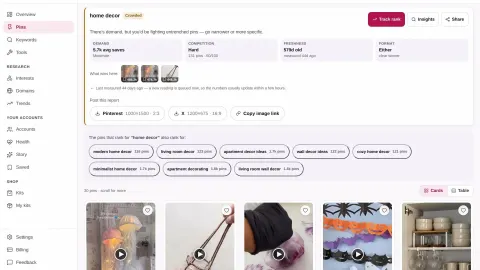
A poster can represent a product, tool, template, or other recommendation. SeenIn can fill in a name and image from a pasted product link. You can add a short description and tag, then publish the poster to your page. Each poster has a distinct URL, which can be used in a caption, pinned comment, or reply to help viewers find the specific recommendation.
Tags become filters and search on the page, giving visitors a way to browse a growing collection. The page can use one of four listed visual styles: Gallery paper, Darkroom, Catalogue card, or Riso zine.
Codes and link maintenance
A discount or referral code can appear on its poster and be copied with one tap. You can set an end date for a code, after which it hides automatically. When a code changes, the next one can replace it on the same poster. SeenIn also lets you update a shop link on the poster, so links already pointing to that poster continue to lead to the current destination.
Affiliate links are kept as pasted, without a redirect. According to the product description, this lets the affiliate programme count the click. SeenIn says it does not handle sales or take a cut of commissions.
Self-hosted setup
SeenIn runs as a folder on a PHP host, with a password and no database. The page can also be embedded on a site that supports an iframe. The setup guide describes uploading the folder and setting a password, without coding. A static version for hosts without PHP and a WordPress plugin are described as planned updates, so they should not be treated as available features today.
Who it is for
SeenIn fits creators whose content repeatedly recommends specific items: for example, tech and AI channels, designers, and builders. It can also suit people who share recommendations as a side income and want affiliate links, codes, and product details in one place. Its poster-based layout is particularly relevant when viewers ask which tool, font, or product appeared in a video and a general profile link would not point them to the exact item.
It may also work for agencies managing recommendation pages on client sites, provided they are comfortable with the self-hosted setup. The product describes an embed option for pages built with services such as WordPress, Webflow, or Squarespace, but the SeenIn page itself still needs to run on PHP or a subdomain.
Limitations
The main practical constraint is hosting: SeenIn currently requires access to a PHP host, and users need to upload and configure the folder themselves or arrange help. The absence of a database keeps the setup compact, but does not make SeenIn a hosted, ready-made service. The static-host option and WordPress plugin are future updates, not current substitutes for PHP hosting.
SeenIn is also focused on organizing recommendations, links, and codes. Its page says that people who need built-in email sign-ups or a shop should consider a hosted service instead. The listing provides no product reviews yet, so there is little independent user feedback to assess.
Verdict
SeenIn addresses a specific creator workflow: keeping recommendations current and giving every featured item a stable, direct page link. Its automatic code expiry, editable destinations, tags, and preserved affiliate URLs are useful details for creators with a growing archive of videos or posts. The trade-off is that the page must be hosted by the user, with PHP required for the current version. SeenIn is most relevant to creators who value control over their own recommendation page and are comfortable managing that setup; it is less suitable for anyone seeking a hosted storefront or email-capture page.