ClientHub is a client portal for keeping project work, messages, files, and follow-ups together. It gives freelancers and small agencies a shared workspace where each client can see the same project board as the team. Rather than tracking requests across spreadsheets, documents, and email threads, users can manage tickets and conversations in one place. The product is early-stage, so the page provides a feature overview but no customer reviews or detailed track record.
Key features
Shared project boards
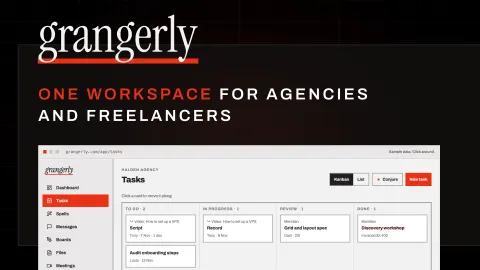
ClientHub uses a Kanban-style board to move tickets through Backlog, To Do, In Progress, Review, and Done. Users can drag and drop tickets between stages, and clients can see the board’s live status. That shared view is intended to reduce the need for routine progress-update emails. When the same request is entered more than once, tickets can be merged.
Messages, comments, and attachments
Broader conversations with a client can take place in threaded messages. Comments are attached to an individual ticket, keeping request details and decisions alongside the relevant work. Tickets can also include documents and screenshots, including files supplied by clients to explain a request.
Separate client workspaces and access roles
A workspace can be set up for each client, with its own projects and people. Access roles distinguish clients, teammates, and admins. ClientHub also provides an audit trail of actions, which can help teams review what happened within a project.
Activity, notifications, and time tracking
A dashboard shows activity across clients and projects. In-app and email notifications alert users when messages, comments, or tickets change. Time can be tracked on tickets, keeping recorded hours connected to the work item.
The page also lists a versioned REST API and a hosted MCP endpoint. It says these can connect live project data to tools such as Cursor and Claude, as well as other MCP clients. Stripe is listed among the product’s supported connections, but the page does not explain what that connection does.
Who it is for
ClientHub is aimed at freelancers and small agencies that manage projects for multiple clients and want clients to follow progress in a shared space. It may suit teams handling bug reports, requests, due dates, and client discussions, particularly when the current process relies on manually maintained spreadsheets or scattered email threads. The separate workspaces and roles are useful for keeping each client’s projects and access distinct.
The product may also be relevant to teams that want to connect project data to AI agents or other tools through REST API or MCP. The page describes the available connection methods, but does not provide examples of specific automations or workflows.
Limitations
ClientHub is described as an early-stage product, and the page has no user reviews. That means there is little public product feedback in the supplied information to help assess how it performs in everyday use. The page does not explain the Stripe connection, nor does it give detail on how the product handles needs beyond its listed project boards, messages, files, notifications, audit trail, and ticket time tracking. Teams needing a particular workflow should confirm that it is supported before relying on ClientHub for it.
Verdict
ClientHub brings common client-project tasks into a shared portal, with clear separation between general messages and ticket-specific comments. Its strongest fit is a freelancer or small agency that wants clients to see project status and keep requests, files, and decisions attached to the work. The early-stage status and lack of reviews call for a measured assessment, especially for teams depending on an integration or workflow that the page does not describe.