GitDoc
Turn repos, API specs, PDFs, and videos into living documentation that auto-syncs and is readable by AI
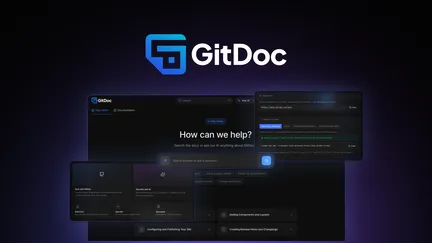
GitDoc — Review and Feature Overview
GitDoc is an automated, Git-centric documentation platform designed to keep technical docs aligned with the source of truth: your code, API specs, recordings, and files. It targets developer and product teams who need documentation that stays current without heavy manual maintenance. Below I break down the core strengths, workflow, integrations, security, collaboration features, and a few practical caveats to consider.
What stands out (core capabilities)
-
Auto-sync from source control: GitDoc connects to GitHub repositories and listens to commits, automatically generating and updating documentation whenever code changes. This minimizes drift between implementation and docs and reduces the need for manual syncs.
-
Multi-source generation: Beyond Git repos, GitDoc can ingest OpenAPI/Swagger specs, website URLs, PDFs, meeting recordings, and other files. It can also generate a complete first draft from AI prompts if no source files exist.
-
API-first and agent-ready: Docs can be exposed to AI agents via an MCP/API layer so conversational agents (e.g., ChatGPT, Claude) can query and even alter docs. There’s a built-in “Ask AI” search for visitors to get conversational answers sourced from the documentation.
-
Dual editing paradigms: The platform supports a visual WYSIWYG interface for writers and MDX/raw-editing for engineers. Edits are backed up to a Git repo you own, giving a snapshot history and easy restoration.
-
Structured outputs for different doc types: GitDoc generates product docs, API reference, and changelogs with appropriate structure and navigation, tailoring the output to the intended audience.
UX, editing, and authoring workflow
-
Smooth onboarding from GitHub: The GitHub app authorization flow is standard and straightforward. Once connected, repositories appear in the dashboard and GitDoc pulls content to generate docs.
-
In-editor AI helpers: You can highlight text and ask the in-editor AI to rewrite, shorten, clarify, or translate without leaving the page — helpful for iterative content refinement.
-
Separation of generated vs editorial content: The platform supports workflows to avoid overwriting manual edits by isolating generated content from editorial content, which is key for teams combining automated generation with hand-crafted prose.
-
Versioning and snapshots: Documentation can be versioned alongside product releases, allowing users to access the appropriate docs per product version. This is essential for API stability and reproducibility.
Publishing, customization, and discoverability
-
Branded custom domains: Publish documentation to your own domain with automatic SSL. You can apply custom colors, fonts, logos, and favicons to maintain brand consistency.
-
SEO and GEO optimizations: GitDoc includes generative engine optimization features aimed at making docs more discoverable both in search engines and in LLM responses. This helps external models cite your docs instead of returning generic or out-of-date answers.
-
Multiple portals: The platform supports internal and external docs from a single instance, which simplifies running public developer docs alongside private internal knowledge bases.
Integrations and extensibility
-
OpenAPI import: Direct import of OpenAPI/Swagger specs to generate API docs and reference material.
-
Google Fonts and basic styling integrations for brand control.
-
Full API access and MCP integrations allow building custom syncs, embedding docs, or powering third-party agents. This API-first stance is useful for teams that want to bake docs into product flows.
Security, privacy, and compliance
-
Data protection: Transport encryption (TLS 1.3) and encryption at rest (AES-256) are included. Drafts are private by default and visible only to the team until published.
-
Audit logs and data residency options: These help with compliance and traceability for changes and user activity.
-
Role-based access control: Roles and permissions can restrict who views or edits private documentation, important for internal-facing knowledge bases.
Team features and analytics
-
Visitor AI question quotas and analytics: Built-in limits for AI interactions and visitor analytics help measure usage and manage costs.
-
Invite team members, collaborative editing, and the ability to remove "powered by" branding on higher tiers — useful for agencies and enterprises delivering branded docs.
-
Git-backed history and quick restore: Every change is backed to a Git repo you own so rollbacks and audit are straightforward.
Limitations and practical considerations
-
Generated content quality: Automated generation from code and specs produces useful first drafts but may need editorial polishing. Teams should plan for human review workflows to maintain clarity and tone.
-
Potential overwrite conflicts: If you mix auto-generated and manual edits without a clear separation strategy, there's risk of manual work being replaced on sync. Use the recommended separation of content types.
-
OpenAI/AI model access: Access to new AI models may be subject to add-ons or discounted rates; teams relying heavily on agentic features should validate roadmap and pricing fit for long-term plans.
-
Initial setup quirks: Common setup issues include incorrect GitHub app installation scope or malformed OpenAPI specs. Troubleshooting is typically straightforward but requires attention to permissions and spec validity.
Recommendation
GitDoc is a compelling choice for developer-centric teams that want documentation to be a living artifact tied to code and specs. Its blend of automated generation, dual editing modes, agent integration, versioning, and publish-to-domain workflows address the common problem of stale docs. For teams that prioritize developer experience, rapid onboarding for integrators, and AI-driven discoverability, GitDoc delivers a practical and scalable solution. Ensure you adopt editorial guardrails and content separation to prevent sync conflicts, and plan review cycles for AI-generated drafts to maintain quality and accuracy.